
Email Capture Plugin for WordPress: How Gracewell LeadForge Helps You Grow Your List
Social media reach comes and goes, and search rankings shift without warning. Your email list, on the other hand, is one of the few things you actually own. So it's no surprise that so many WordPress site owners end up searching for a reliable email capture plugin for WordPress sooner or later.
That's exactly where Gracewell LeadForge comes in. It's a free plugin built to collect email addresses from your visitors without slowing your site down or annoying the very people you're trying to convert. Let's get into how it works, and why it's worth adding to your site.
Why Email Capture Still Matters
It's easy to assume email is old news, especially with so much attention going to social platforms. Even so, email still converts better than almost every other channel, mainly because the people on your list actually asked to hear from you.
On top of that, you're not renting that audience from an algorithm. A social platform can change its rules overnight, but your email list stays yours no matter what happens elsewhere. That's exactly why capturing emails early, and doing it well, pays off long after the first visit.
What Is Gracewell LeadForge?
Gracewell LeadForge is a free WordPress plugin that shows a simple, well-timed popup and collects visitor emails directly into your own WordPress database. There's no third-party service in between, no monthly fee, and no complicated setup process.
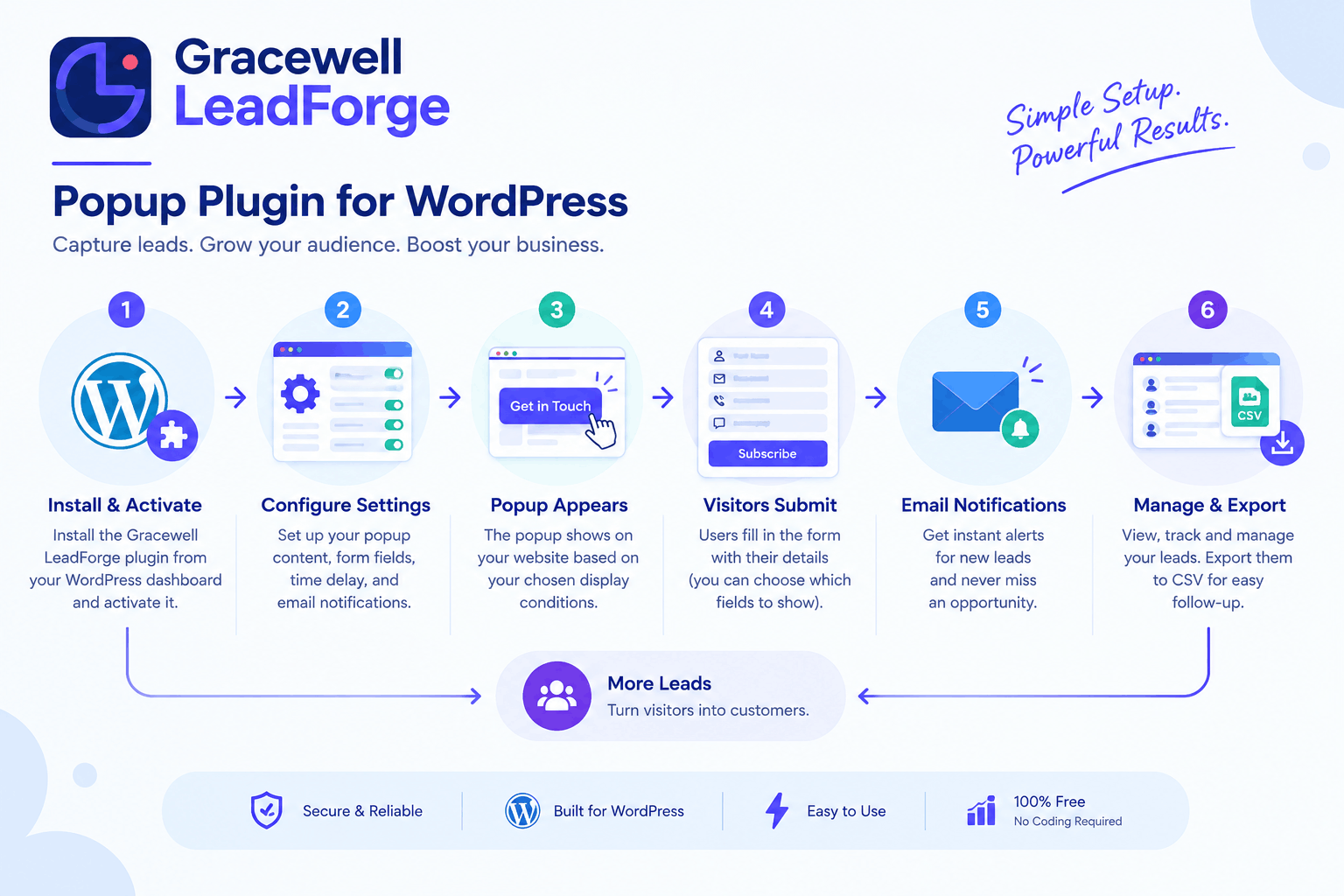
If you've already read our post on the popup plugin for WordPress side of things, this is the same plugin — just viewed through the lens of email list building specifically, since that's usually the real goal behind installing a popup in the first place.
How It Captures Emails Without Annoying Visitors
A popup that shows up too early, or asks for too much, usually gets closed instantly. So Gracewell LeadForge is built around a few simple ideas that keep the experience smooth:
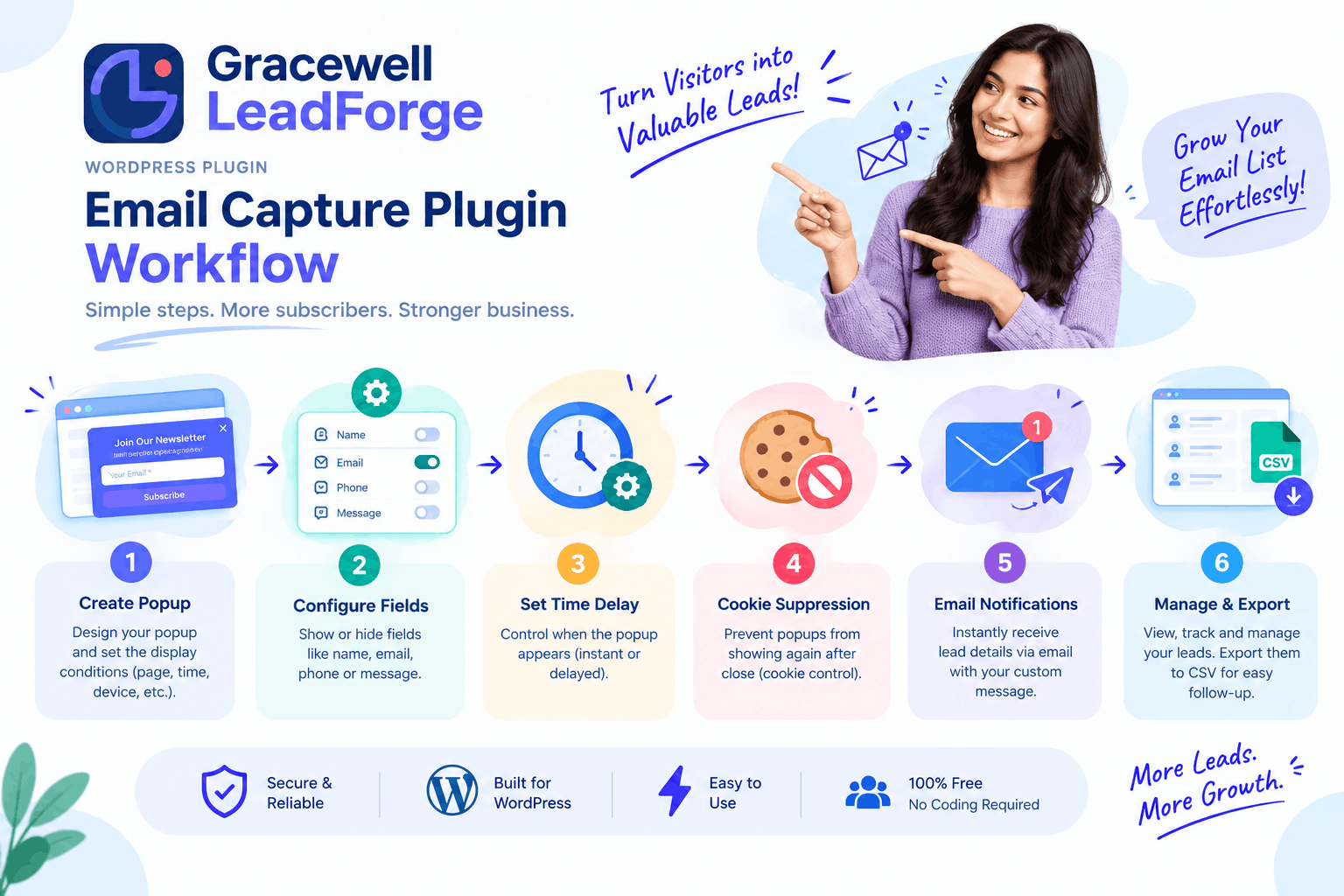
- Time delay: The popup only appears after a visitor has spent time on the page, meaning they've already shown some interest before being asked for their email.
- One clear ask: The email field is front and center, and you can turn off Name, Phone, and Message if all you want is the address.
- Cookie suppression: Once someone's seen the popup, it won't reappear right away, which keeps repeat visitors from getting frustrated.
- Fast loading: Because the plugin is lightweight, it doesn't slow your page down, and a slow page is one of the fastest ways to lose a signup before it happens.
Put together, these small details are what separate a popup that builds your list from one that just drives people away.
Building Your List, Step by Step
1. Install the Plugin
Add Gracewell LeadForge from the WordPress repository and activate it — no code required.
2. Turn On Just the Email Field
Keep the form short. For pure list-building, the email field alone is often enough.
3. Set a Sensible Delay
Give visitors a few seconds to engage before the popup appears.
4. Watch Signups Land
Each new email is saved to your dashboard, and you're notified right away.
5. Export and Send
Download your list as a CSV, then move on to actually emailing your new subscribers.
Once you've got that list exported, the next step is putting it to use. That's a topic on its own, so if you want help planning what to send and when, our email marketing guide walks through it in more detail.
Email Capture Best Practices
Beyond just installing the plugin, a few habits make a real difference in how many visitors actually sign up:
- Give a reason to sign up: "Join our newsletter" converts worse than a specific offer, like a discount, checklist, or guide.
- Don't ask too soon: A popup on page load usually gets closed out of reflex. A short delay changes that.
- Keep the form short: Every extra field lowers your completion rate. Start with email only, and add fields later if you genuinely need them.
- Be upfront about what happens next: A line like "no spam, unsubscribe anytime" builds trust and, in turn, improves signups.
- Test your timing: What works on a blog post won't necessarily work on a product page, so it's worth adjusting the delay per page type.
Key Features
Time Delay Trigger
Shows the popup only after real engagement.
Custom Fields
Keep it to email only, or add Name, Phone, and Message.
Cookie Suppression
Avoids repeat popups for the same visitor.
Email Notifications
Know the moment someone signs up.
CSV Export
Move your list into any email marketing tool.
Mobile Responsive
Works cleanly on phones, tablets, and desktops alike.
How It Compares
Here's how Gracewell LeadForge stacks up against two other commonly used email capture tools for WordPress:
| Feature | Gracewell LeadForge (Free) | OptinMonster (Paid) | Sumo (Freemium) |
|---|---|---|---|
| Cost | 100% Free | From $9/mo | Free + $39/mo Pro |
| Time Delay Trigger | ✓ Yes | ✓ Yes | ✓ Yes |
| CSV Export | ✓ Yes | Paid Only | ✓ Yes |
| Data Stored Locally | ✓ Yes | ✗ No | ✗ No |
| Native Email Integrations | Not yet | ✓ Yes | Limited |
So while it doesn't yet plug directly into every email marketing platform, the CSV export bridges that gap easily enough, and everything else it does, it does for free.
Key Takeaways
- Email capture still outperforms most other channels, mainly because your list is entirely your own.
- Gracewell LeadForge captures emails with a time-delayed, low-friction popup.
- All signups are stored in your own WordPress database, never a third-party server.
- CSV export makes it easy to move your list into any email marketing tool.
- Small habits, like short forms and a clear reason to sign up, make the biggest difference.
Start Capturing Emails for Free
Install Gracewell LeadForge and start growing your list today, with nothing to pay and nothing to configure beyond the basics.
Download NowFrequently Asked Questions
Is Gracewell LeadForge a good email capture plugin for WordPress?
Can I collect only the email address, and nothing else?
Does it connect to email marketing platforms like Mailchimp?
Will the popup slow down my site?
How much does it cost?
Want More on Lead Generation?
See how this same plugin performs as a general-purpose lead generation tool, not just for email capture.
Read the Full GuideConclusion
At the end of the day, an email capture plugin for WordPress only earns its keep if people actually sign up, and that comes down to timing, simplicity, and not asking for more than you need. Gracewell LeadForge covers all three, and it does it without costing you anything.
So whether you're starting your list from scratch or just looking for a lighter alternative to a paid popup tool, it's a solid, low-risk place to start. Once your list starts growing, take a look at our email marketing guide to figure out what to do with it next.
Download Gracewell LeadForge Free