Best Free Lead Generation Plugin for WordPress: Why Gracewell LeadForge Deserves a Spot on Your Site
If you've typed "best lead generation plugin free" into Google more than once this month, you're definitely not alone. Nearly every website owner reaches the same point eventually — you want a way to capture emails, phone numbers, and inquiries, but you don't want to hand over $99 a year just to unlock the features you actually need.
Here's the good part: a genuinely free lead generation plugin for WordPress does exist, and it doesn't lock half its functionality behind a "Pro" upgrade. It's called Gracewell LeadForge, and in this post, we'll walk through exactly why it's worth installing on your site today — no fine print, no upsells.
Why Most "Free" Lead Generation Plugins Let You Down
You've probably installed a popup or lead-capture plugin before, only to hit a wall of settings you don't understand or, worse, a message telling you the one feature you actually wanted is "Pro only." Sound familiar? That's the pattern with most plugins marketed as free.
So before we get into what makes Gracewell LeadForge different, let's talk about why the competition usually falls short:
- The "free" plan is a trap: Basic capture works, but exporting leads, removing branding, or getting email alerts often costs $9–$39/month.
- They slow your site down: Heavy scripts drag your load time and hurt your Core Web Vitals and search rankings.
- Mobile visitors get annoyed: Full-screen popups on phones are one of the fastest ways to spike your bounce rate.
- Setup takes forever: Drag-and-drop builders, dozens of templates, confusing trigger rules — hours lost before you capture a single lead.
- Your data doesn't stay yours: A lot of plugins quietly route lead data through third-party servers.
- No real lead management: Capturing an email is pointless if you can't easily view, sort, or export it.
Put all that together and it's easy to see why so many site owners give up on popups entirely. That's exactly the gap Gracewell LeadForge was built to close — and if you want a deeper look at why free popup tools matter for small sites in general, our earlier post on the best free WordPress popup plugin for lead generation covers that in more detail.
What Is Gracewell LeadForge?
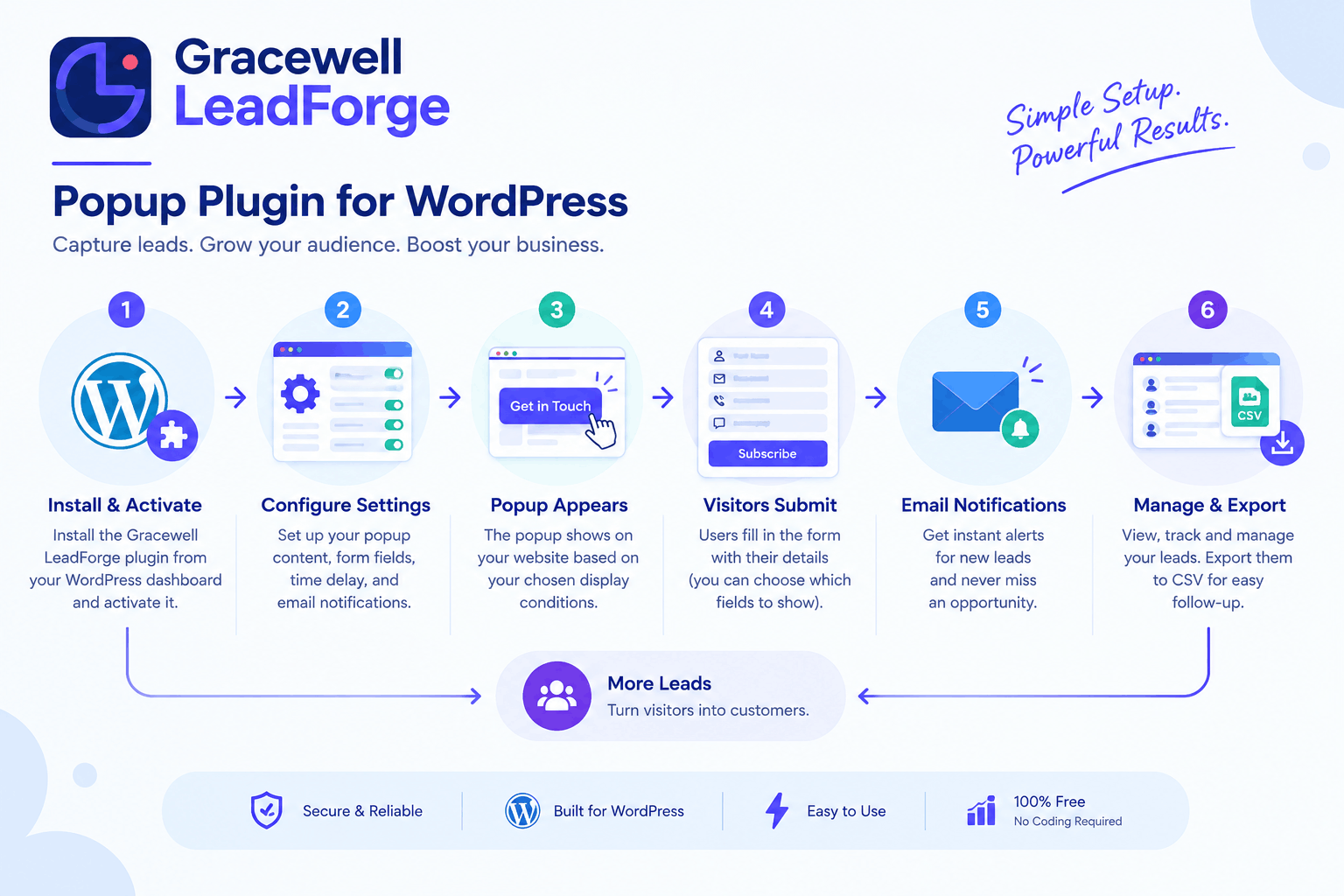
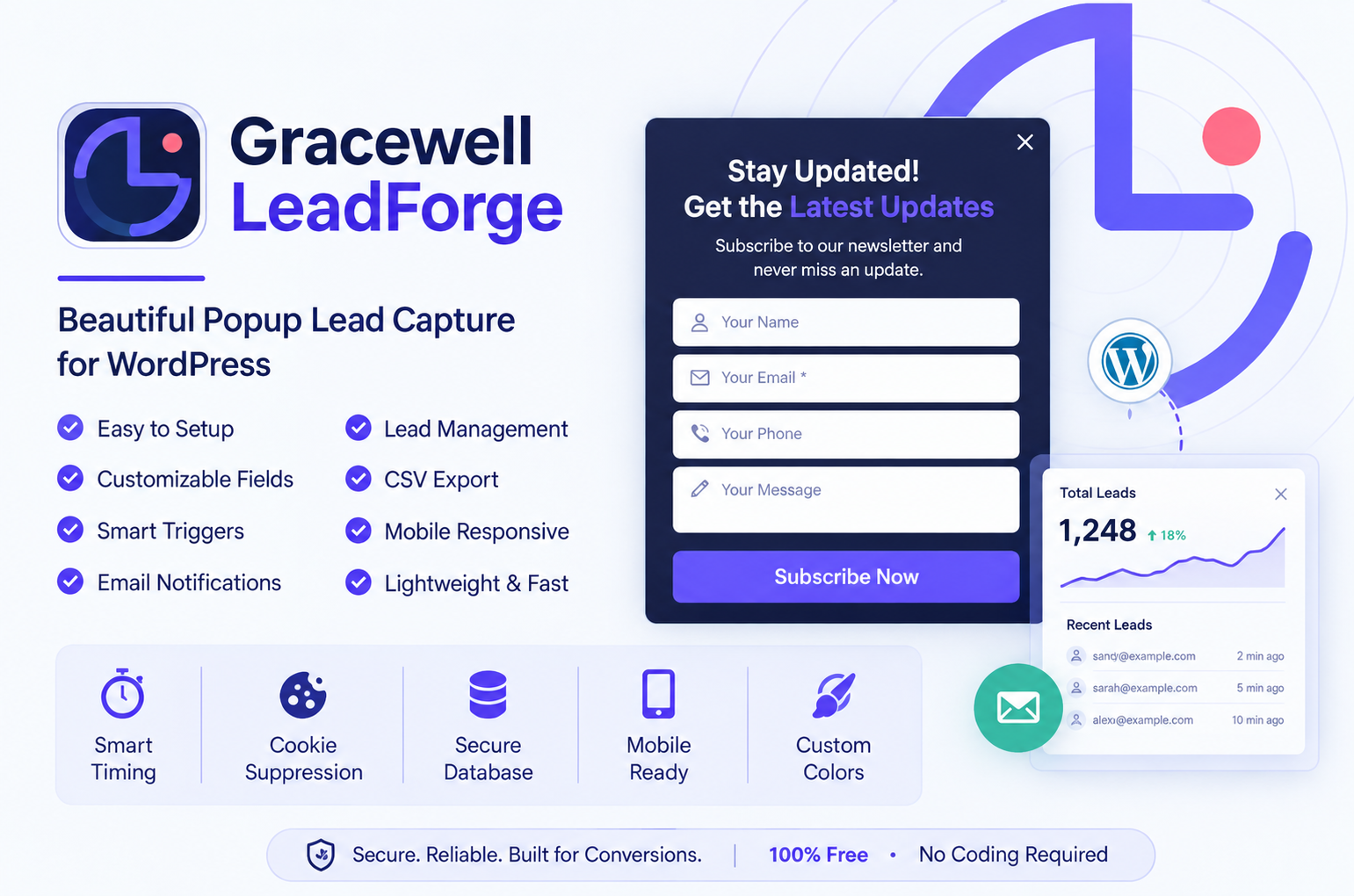
Gracewell LeadForge is a free, lightweight WordPress plugin built to help you capture leads without sacrificing site speed or visitor experience. It's not trying to be everything — it does one job, and it does it well: show a well-timed, well-designed popup and collect the right details from the people already reading your content.
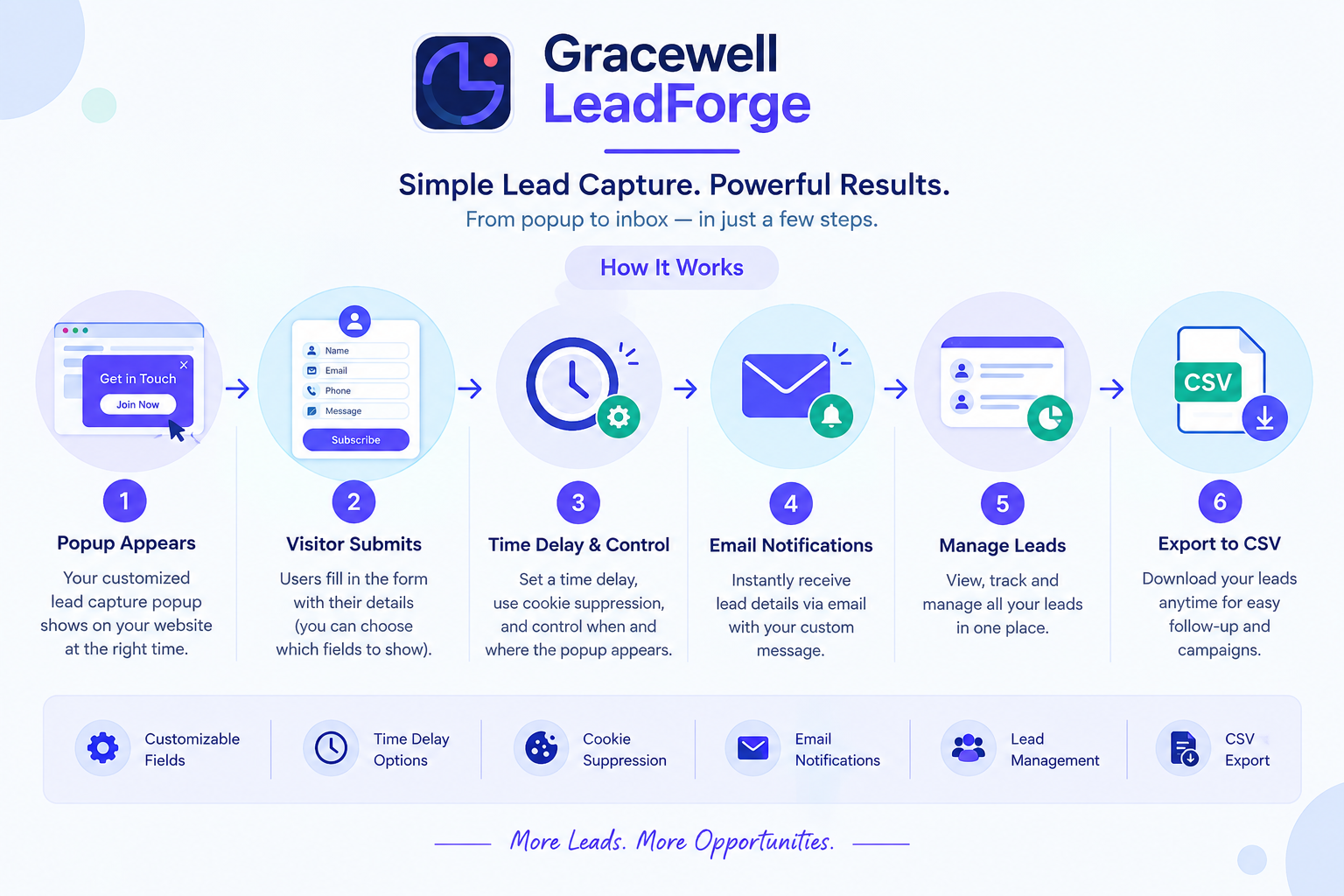
Every lead lands directly in your own WordPress database. You get instant email notifications the moment someone submits the form, and you can export the whole list as a CSV whenever you need it — no coding required, no third-party dashboard to log into.
The plugin comes from the team at Gracewell, and it's built around a simple idea: a small business or solo blogger shouldn't need a marketing budget just to start collecting leads properly.
What Makes It the Best Free Lead Generation Plugin
There's no shortage of popup plugins in the WordPress repository, so what actually earns Gracewell LeadForge a spot on your shortlist?
No Paywall, Full Stop
Every core feature ships in the free version. There's no "upgrade to unlock" moment waiting around the corner.
Built Light on Purpose
No bloated scripts weighing down your pages — your PageSpeed score and Core Web Vitals stay untouched.
Your Leads, Your Database
Everything is stored inside your own WordPress install. Nothing gets routed through outside servers.
Live in Under 5 Minutes
Install, activate, set your headline and colors, and you're done — no developer needed.
Looks Right on Every Screen
The popup is fully responsive, so it holds up whether someone's on a widescreen monitor or a phone.
Features That Actually Matter
Here's what you get the moment you activate the free version — nothing held back:
Quick, Guided Setup
Get your popup live from a simple settings screen inside WordPress — no page builder required.
Flexible Form Fields
Turn Name, Phone, and Message fields on or off depending on what your business actually needs to know.
Time Delay Trigger
Show the popup only after a visitor has spent time on your page, which noticeably improves conversions.
Cookie Suppression
Once someone closes or submits the popup, it won't reappear and annoy them on their next visit.
Instant Email Alerts
Every new lead triggers a notification straight to your inbox — no need to keep checking a dashboard.
Built-In Lead Dashboard
Names, emails, phone numbers, messages, and timestamps, all laid out in one clean WordPress table.
One-Click CSV Export
Download your full lead list and drop it straight into any CRM or email marketing tool.
Mobile-Friendly by Default
The popup adjusts cleanly across desktop, tablet, and mobile with zero extra configuration.
Color Customization
Match the popup to your brand's colors directly from the plugin's settings page.
Clean, Professional Design
A polished popup right out of the box, without needing a designer or a line of custom CSS.
Who Should Be Using This Plugin
Because it's flexible rather than niche, Gracewell LeadForge fits comfortably across a wide range of sites. A few examples:
🏢 Small Businesses
Pick up quote requests and service inquiries straight from your homepage, no separate CRM required.
✍️ Bloggers
Grow a newsletter list by catching your most engaged readers right when they're interested.
🛠️ Freelancers & Consultants
Collect detailed project inquiries using the Name, Phone, and Message fields together.
🛒 E-Commerce Stores
Capture emails ahead of sales or promotions without adding another paid tool to your stack.
📈 Marketing Agencies
Roll it out across several client sites quickly, then pull CSV exports for easy reporting.
Feature Comparison: Gracewell LeadForge vs. Popular Alternatives
Numbers make this easier than opinions do, so here's an honest side-by-side against three of the most commonly used popup and lead-capture plugins:
| Feature | Gracewell LeadForge (Free) | OptinMonster (Paid) | Popup Maker (Freemium) | Sumo (Freemium) |
|---|---|---|---|---|
| Cost | 100% Free | From $9/mo | Free + Paid Add-ons | Free + $39/mo Pro |
| Time Delay Trigger | ✓ Yes | ✓ Yes | ✓ Yes | ✓ Yes |
| Cookie Suppression | ✓ Yes | ✓ Yes | Paid Only | ✓ Yes |
| Lead Database | ✓ Yes (WP DB) | ✗ 3rd Party | Paid Only | ✗ No |
| CSV Export | ✓ Yes | Paid Only | Paid Only | ✓ Yes |
| Email Notifications | ✓ Yes | ✓ Yes | Paid Only | Paid Only |
| Mobile Responsive | ✓ Yes | ✓ Yes | ✓ Yes | ✓ Yes |
| Custom Form Fields | ✓ Yes | ✓ Yes | Paid Only | Limited |
| Data Stored Locally | ✓ Yes | ✗ No | ✗ No | ✗ No |
| No Third-Party Sharing | ✓ Yes | ✗ No | ✗ No | ✗ No |
| Setup Time | Under 5 Minutes | 30–60 Minutes | 15–30 Minutes | 15–30 Minutes |
Looking at it this way, the choice is pretty clear. For anyone who wants clean, privacy-respecting lead capture without paying for it, Gracewell LeadForge comes out ahead on almost every row that matters.
How Your Lead Data Is Protected
Data privacy isn't an afterthought here — it's baked into how the plugin was built in the first place.
-
🔒
Stored Securely, LocallyEvery lead sits inside your WordPress database — the same environment that already runs the rest of your site.
-
👤
Admins OnlyLead data is only visible to authenticated site administrators. There's no front-end exposure at all.
-
🚫
No Third-Party SharingUnlike a lot of competing tools, nothing here gets synced off to an outside server.
-
🏆
You Own Every LeadExport it, delete it, migrate it wherever you like. The data is entirely yours to control.
-
🛡️
Privacy-Conscious DesignA solid fit for businesses in privacy-sensitive industries, or anywhere data sovereignty is a real concern.
✅ Key Takeaways
- Gracewell LeadForge is completely free — no hidden tiers, no locked features.
- Time-delay triggers, cookie suppression, flexible fields, and mobile-first design come standard.
- All leads stay inside your WordPress database — nothing is shared with third parties.
- Email alerts and one-click CSV export make follow-up genuinely simple.
- You can be up and running in under 5 minutes, no coding involved.
- Works well for small businesses, bloggers, freelancers, stores, and agencies alike.
- Holds its own against paid alternatives on privacy, storage, and cost.
Download Gracewell LeadForge Free
Start capturing leads today with a plugin that's easy to set up and doesn't cost a thing. No credit card, no subscription, no catch.
⬇ Download NowFrequently Asked Questions
Is Gracewell LeadForge really free?
How do I install it on my WordPress site?
Where does the plugin store captured leads?
Can I choose which form fields show up?
Does the popup work well on phones?
How does the time-delay trigger work?
What does cookie suppression actually do?
Can I export my leads to another platform?
Want to See More Lead Generation Options?
Browse more guides, comparisons, and resources on capturing and managing leads on WordPress.
🔗 Explore Lead Generation ResourcesConclusion
Capturing leads on your website shouldn't mean choosing between "expensive" and "barely functional." Gracewell LeadForge proves that the best lead generation plugin free of cost can still be fast, private, and genuinely useful — all three at once.
Where premium tools charge for basics like CSV export or a proper lead dashboard, Gracewell LeadForge includes all of it for free, and keeps your data exactly where it belongs — inside your own WordPress install.
Whether you're a blogger building an email list, a freelancer collecting client inquiries, or an agency setting this up across several sites, it's a solid, low-risk pick. And if you'd like a closer look at how it compares as a standalone popup tool, our post on the best free WordPress popup plugin for lead generation goes into more detail.
So rather than losing leads to slow forms or overbuilt tools, install Gracewell LeadForge, set it up in under 5 minutes, and start capturing them the simple way — for free.
⬇ Download Gracewell LeadForge Free