Popup Plugin for WordPress That Actually Converts: A Closer Look at Gracewell LeadForge
Most people search for a "popup plugin for WordPress" hoping for one thing — more leads without more hassle. The trouble is, plenty of popup plugins are built around templates and design options, and conversions end up as an afterthought.
Gracewell LeadForge takes the opposite approach. It's a lightweight popup plugin built specifically around lead generation, not just visual polish. In this post, we'll go past the feature list and get into how it actually converts visitors, how leads flow into your dashboard, and where it falls short — because no plugin is perfect, and it's worth knowing both sides before you install anything.

What Is Gracewell LeadForge?
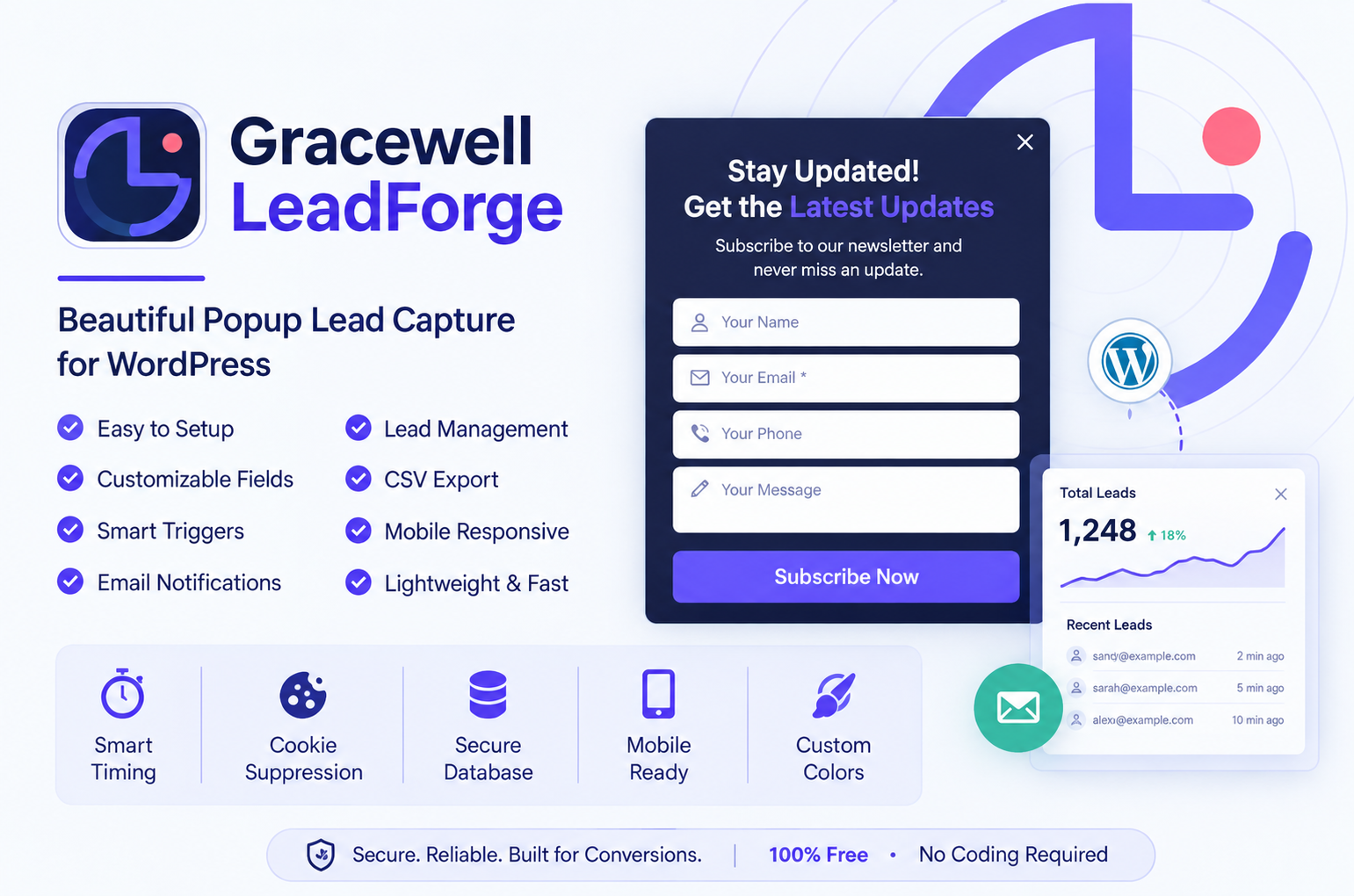
Gracewell LeadForge is a free WordPress popup plugin built to do one job well: turn website visitors into leads. Instead of a page-builder-style popup editor with dozens of layout options, it gives you a focused settings screen — headline, colors, fields, and timing — and gets out of your way.
Every lead lands straight in your WordPress database, you get notified by email as soon as it happens, and you can pull the whole list out as a CSV whenever you want. If you're new to the plugin, our earlier post on the best lead generation plugin free for WordPress covers the full feature breakdown in more depth.
How This Popup Plugin Actually Converts Visitors
A popup only helps you if it shows up at the right moment, asks for the right amount of information, and doesn't get in the way of someone who's genuinely interested. Here's how Gracewell LeadForge is built around that idea:
- Timing over interruption: The time-delay trigger waits until a visitor has actually engaged with your page before showing the popup, instead of firing the second someone lands.
- Low friction forms: You control exactly which fields appear. Fewer fields generally means more people finish filling the form out.
- No repeat annoyance: Cookie suppression means a visitor who's already seen or closed the popup isn't shown it again right away, which protects your bounce rate.
- Fast-loading design: Because the plugin is lightweight, the popup doesn't drag down page speed — and a slow page loses conversions before the popup even shows.
- Consistent branding: Matching your popup's colors to your site builds trust, which quietly nudges more visitors toward filling in the form.
None of this is flashy on its own, but together, it's the difference between a popup that gets closed immediately and one that actually gets filled out.
Getting Leads: How It Works Step by Step
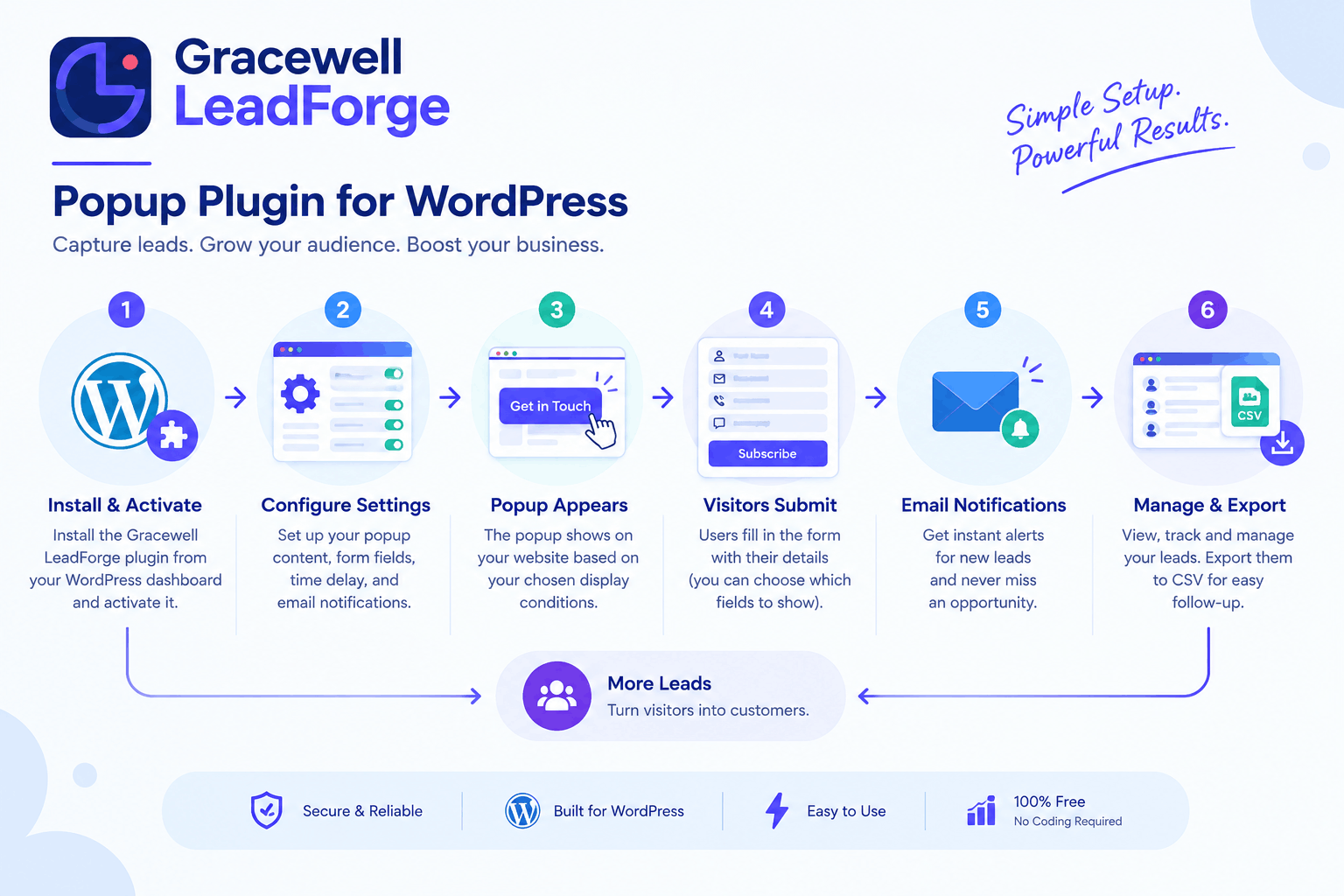
Here's what the process looks like end to end, from installing the plugin to seeing a lead land in your inbox:
Install & Activate
Add the plugin from the WordPress repository and turn it on — no code, no setup wizard to fight through.
Set Your Headline & Fields
Write a short, clear headline and pick which fields you actually need: Name, Phone, Message.
Adjust Timing & Colors
Set the delay so the popup appears after genuine engagement, then match the colors to your brand.
Visitor Submits the Form
A visitor fills in the popup, and the lead is saved straight into your WordPress database.
You Get Notified
An email notification lands in your inbox instantly, so you can follow up while the interest is still fresh.
Export & Follow Up
Pull your leads out as a CSV whenever you like and load them into your CRM or email tool.
Pros and Cons
Here's an honest look at where Gracewell LeadForge holds up well, and where it has room to grow:
✓ Pros
- Completely free, with no feature locked behind a paid tier
- Lightweight — doesn't slow down page load or hurt Core Web Vitals
- Leads stay in your own WordPress database, never a third-party server
- Setup takes minutes, with no coding or page builder needed
- Time delay and cookie suppression are both included by default
- Built-in CSV export and email alerts, not add-ons
– Cons
- Only one popup style at a time — no multi-popup campaigns yet
- No built-in A/B testing for headlines or designs
- Fewer visual templates compared to bigger, paid popup builders
- No native integrations with email marketing platforms — CSV export is the workaround for now
In short, if you want a wide template library and built-in A/B testing, a paid tool might get you there faster. But if you want a plugin that just captures leads reliably without costing anything, the trade-off is an easy one to make.
Key Features
Time Delay Trigger
Popup appears after a set number of seconds, once a visitor has actually engaged.
Cookie Suppression
Stops the popup from repeatedly showing to the same visitor.
Custom Form Fields
Toggle Name, Phone, and Message on or off to match your needs.
Instant Email Alerts
Get notified the moment a new lead comes in.
One-Click CSV Export
Download all your leads and move them into any CRM or email tool.
Mobile Responsive
Looks and performs cleanly on any screen size, out of the box.
How It Compares to Other Popup Plugins
Here's where Gracewell LeadForge lands against a few of the more well-known popup plugins for WordPress:
| Feature | Gracewell LeadForge (Free) | OptinMonster (Paid) | Popup Maker (Freemium) |
|---|---|---|---|
| Cost | 100% Free | From $9/mo | Free + Paid Add-ons |
| Time Delay Trigger | ✓ Yes | ✓ Yes | ✓ Yes |
| Cookie Suppression | ✓ Yes | ✓ Yes | Paid Only |
| CSV Export | ✓ Yes | Paid Only | Paid Only |
| Data Stored Locally | ✓ Yes | ✗ No | ✗ No |
| A/B Testing | Not yet | ✓ Yes | Limited |
| Setup Time | Under 5 Minutes | 30–60 Minutes | 15–30 Minutes |
It doesn't try to out-feature the paid tools — it just covers what most sites actually need, for free.
Who It Works Best For
🏢 Small Businesses
Turn homepage traffic into quote requests and inquiries without a separate CRM.
✍️ Bloggers
Build a newsletter list from readers who are already engaged with your content.
🛠️ Freelancers
Collect project details up front using the Name, Phone, and Message fields together.
📈 Agencies
Deploy the same lightweight popup across multiple client sites in minutes.
✅ Key Takeaways
- Gracewell LeadForge is a free popup plugin for WordPress focused on conversions, not just design.
- Time-delay triggers and cookie suppression help it convert without annoying visitors.
- Leads go straight into your WordPress database — nothing routed through third parties.
- Setup, first popup, and first lead can realistically happen in under 10 minutes.
- It trades A/B testing and template variety for simplicity and zero cost.
- Well suited to small businesses, bloggers, freelancers, and agencies alike.
Download Gracewell LeadForge Free
Install this popup plugin for WordPress today and start turning visitors into leads — no cost, no credit card, no catch.
⬇ Download NowFrequently Asked Questions
Is this popup plugin free to use on WordPress?
How do I get more conversions from a popup?
Where do the leads I collect actually go?
Does it slow down my website?
Can I connect it to my email marketing tool?
How do I install the plugin?
Want More on Lead Generation?
Explore more guides and resources on capturing and managing leads with WordPress.
🔗 Explore Lead Generation ResourcesConclusion
A popup plugin for WordPress only earns its place on your site if it actually converts, and that comes down to timing, simplicity, and not getting in the visitor's way. Gracewell LeadForge is built around exactly that — nothing flashy, just a popup that works and a lead dashboard that's easy to use.
It won't compete with paid tools on A/B testing or template variety, but for capturing leads without adding cost or complexity, it's hard to beat. If you haven't already, take a look at our post on the best lead generation plugin free for WordPress for the fuller feature rundown.
Install it, set your headline and timing, and you'll likely have your first lead before the day is out.
⬇ Download Gracewell LeadForge Free