

A fast, no-bloat WordPress security plugin: login protection, two-factor authentication, core file integrity scanning, one-screen hardening and an activity log. Setup takes under 2 minutes, with no nag banners.
Gracewell Security Suite is a free, lightweight WordPress security plugin that protects your login page, adds app-based two-factor authentication (TOTP), checks WordPress core files for tampering, applies safe hardening settings with a 0–100 security score, and keeps a 30-day activity log. Each feature is a separate module you can switch on or off.
Most security suites are heavy, noisy and full of upsell banners. Gracewell Security Suite takes the opposite approach: a quick setup wizard, a small performance footprint and a free version that is genuinely useful on its own. Optional Gracewell Security Suite Pro is a separate add-on for automation, deeper scanning and alerts.
Limits failed logins per IP and username on wp-login.php and XML-RPC, with automatic lockouts and escalating 24-hour bans.
Serve the login form at your own slug while wp-login.php and wp-admin return a 404 to guests. A recovery constant prevents lockouts.
RFC 6238 two-factor login for Google Authenticator, Authy and 1Password, with a locally generated QR code and 10 backup codes.
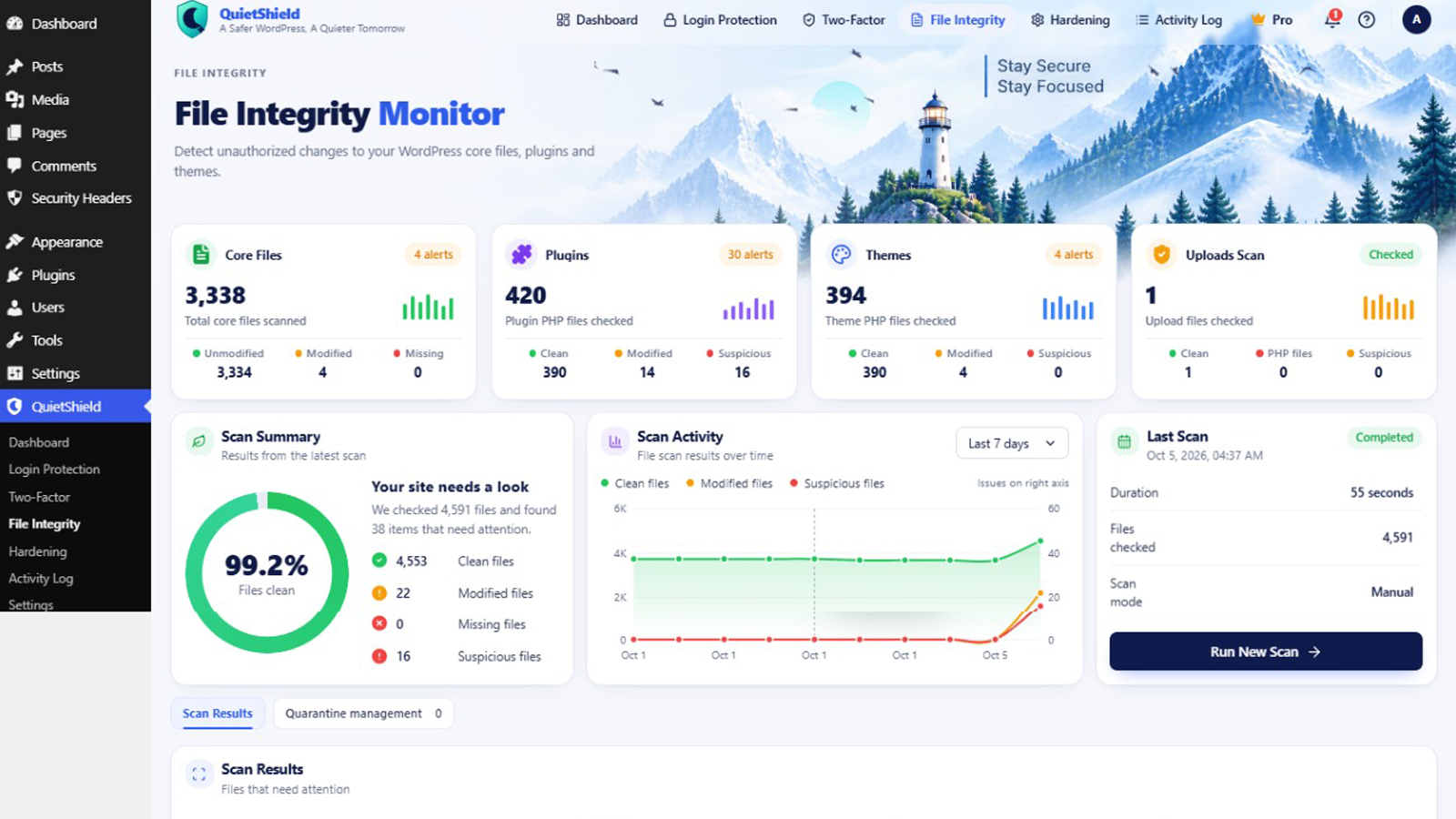
Compares WordPress core files with official checksums and flags modified, missing and unknown files, plus stray PHP files in uploads.
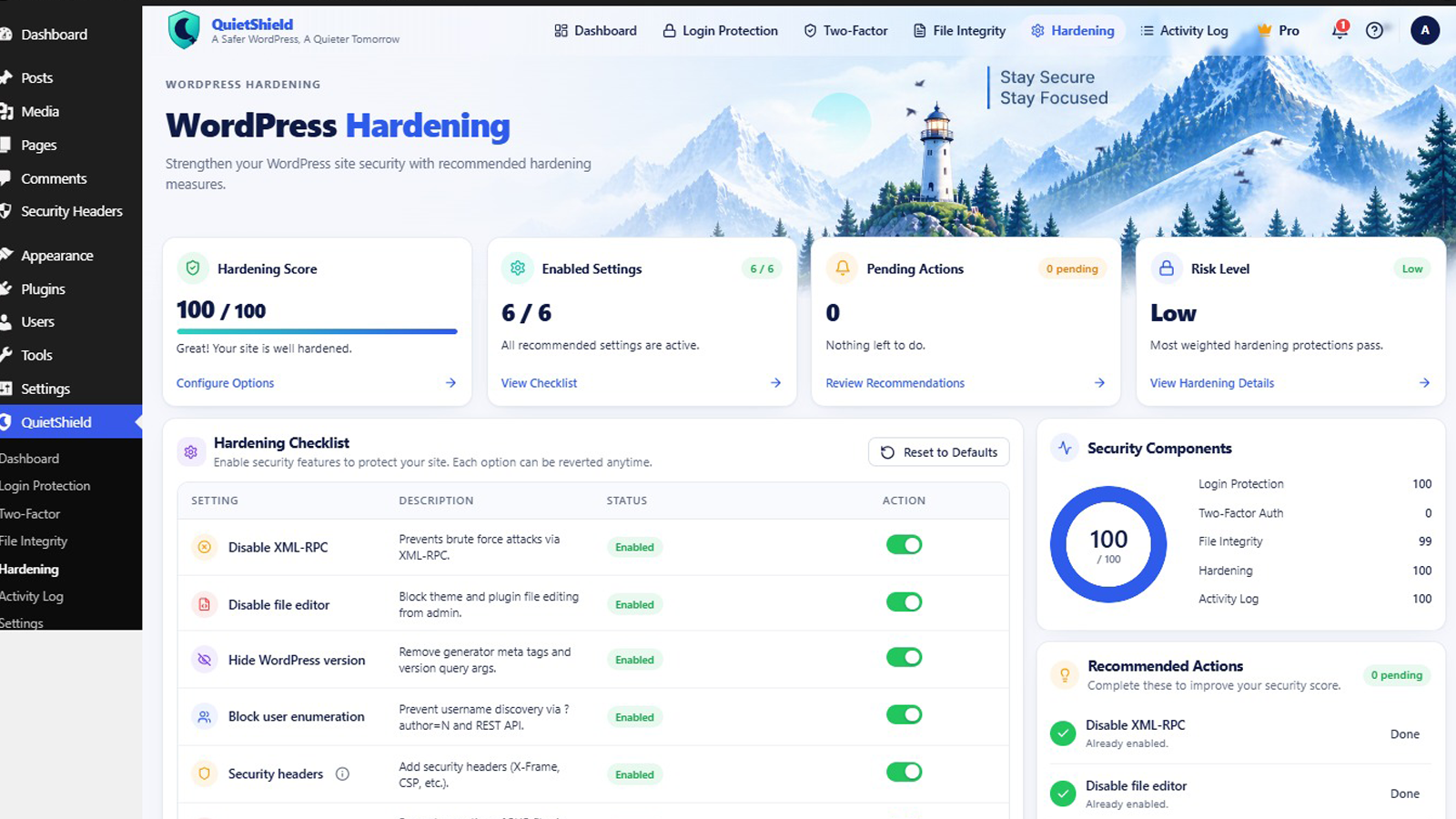
Disable XML-RPC and the file editor, hide the WP version, block user enumeration, add security headers and block PHP in uploads.
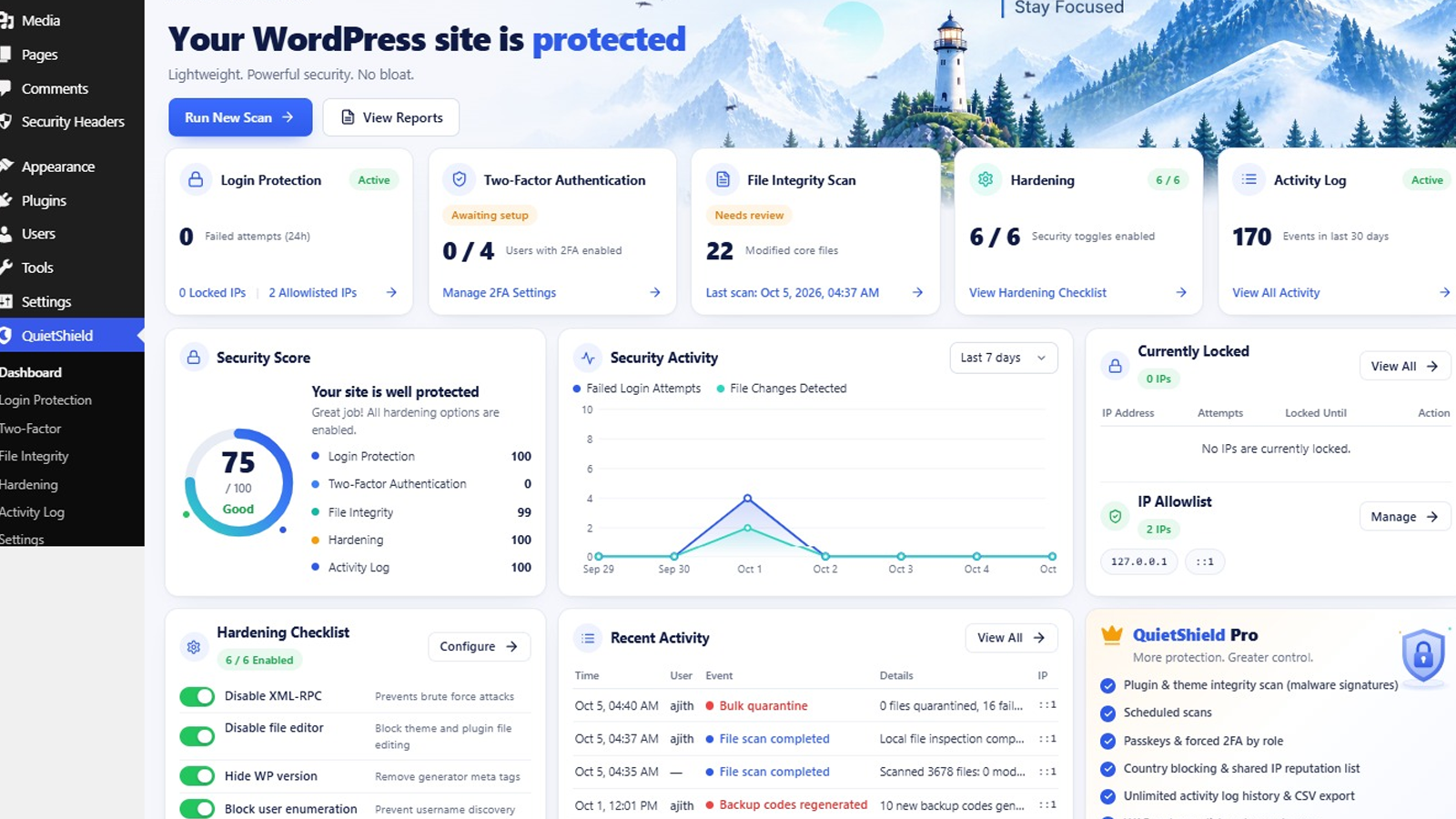
See at a glance how well your site is hardened and which toggles will improve the score.
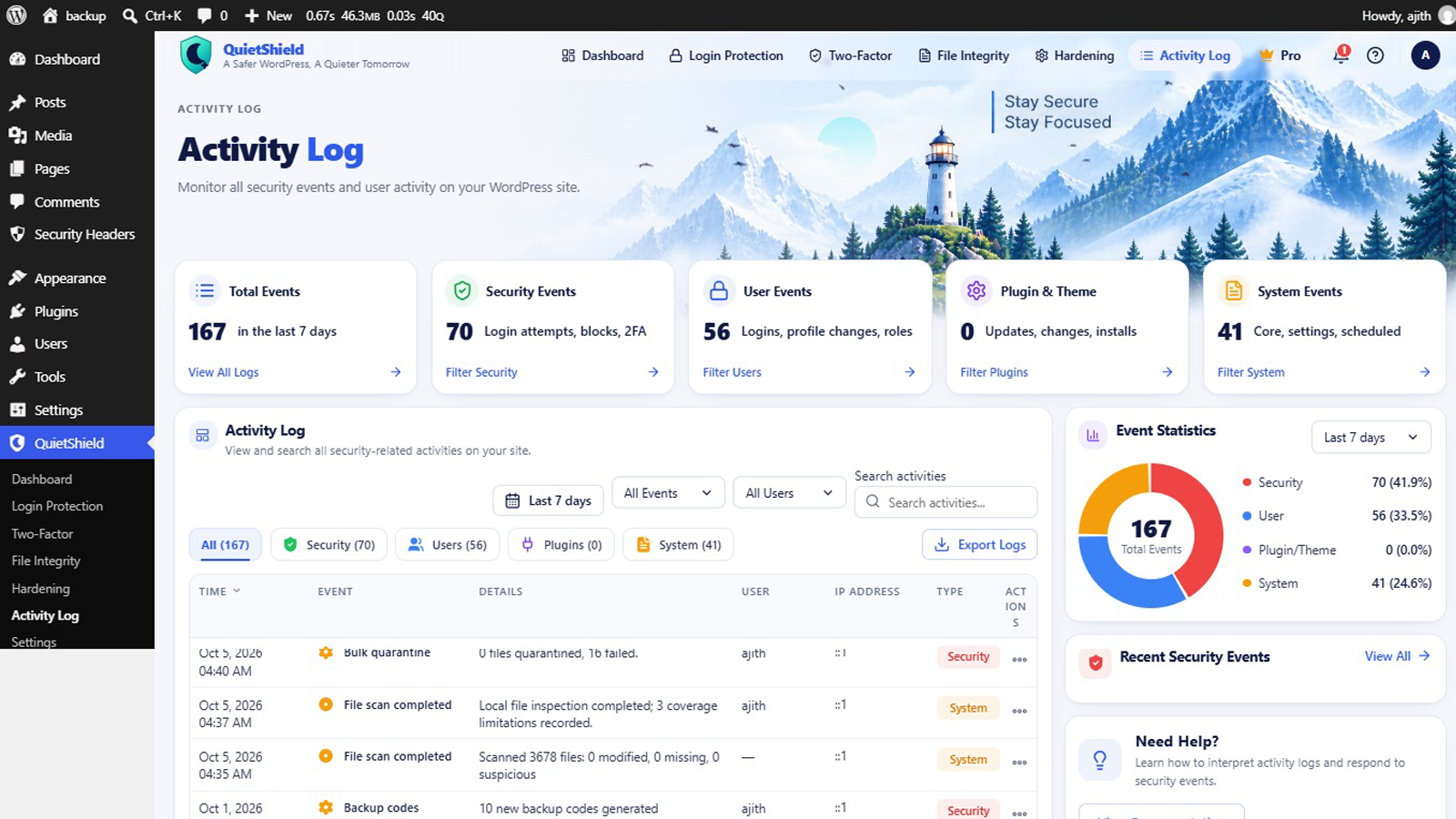
Track logins, user and role changes, plugin and theme changes, core updates and key option edits, with filters by user, event and date.
Allowlist trusted IPs and unlock any locked IP with one click from the "Currently locked" list.
No admin assets on the frontend and no more than one database query per frontend request.
No telemetry. IPs can be masked, and GDPR exporter and eraser hooks are included.
Gracewell Security Suite works in layers. Login protection blocks automated guessing: by default, 5 failures in 15 minutes lock an IP for 30 minutes, and 4 lockouts in 24 hours lock it for 24 hours. A generic error message hides whether a username exists. Two-factor authentication adds a second step after the password check, accepts a ±30-second window and blocks code reuse. The file integrity scan runs in batches, so it finishes on shared hosting, and only core files can be replaced with originals. Hardening toggles are fully reversible, and deactivating the plugin reverts them.
| Area | Free (WordPress.org) | Pro add-on |
|---|---|---|
| Login protection | Attempt limits, lockouts, custom login URL | Country blocking, shared IP blocklist, per-role rules |
| Two-factor auth | TOTP authenticator apps | Passkeys, forced 2FA by role, email/SMS backup |
| File integrity | Core file checksum scan | Plugin/theme scan, malware signatures, scheduled scans, repair |
| Hardening | One-screen toggles + security score | Server rules, custom CSP |
| Activity log | 30 days of key events | Unlimited history, alerts, export, external log shipping |
| Firewall & cleanup | Not included | WAF, one-click malware cleanup |
Stop brute-force attacks and secure your admin login in minutes.
Harden client sites and monitor changes without heavy suites.
Protect logins and user accounts while keeping the site fast.
Batch-based scanning is designed for strict PHP time and memory limits.
Upload the gracewell-security-suite folder to /wp-content/plugins/, or install it from the WordPress plugin directory.
Go to Plugins → Installed Plugins and click Activate.
Choose which modules to enable. It takes under 2 minutes.
On your profile page, scan the QR code with your authenticator app and enter a valid code to turn 2FA on. Save your backup codes.
Switch on the hardening toggles and watch your security score rise.
Gracewell Security Suite requires WordPress 6.2 or higher and PHP 7.4 or higher. Network activation is supported on multisite.
If you use the custom login URL, define the recovery constant shown in the plugin settings in wp-config.php to turn it off.
Gracewell Security Suite sends no telemetry. The only remote request is to the official WordPress.org core checksum API used by the file integrity scan. IP addresses can be masked, and privacy exporter and eraser hooks are included for GDPR.
1. Security dashboard with 0–100 security score
2. Login protection, lockout rules and custom login URL
3. Core file integrity scan results
4. Activity log with user, event and date filters
A free, lightweight WordPress security plugin with login protection, TOTP two-factor authentication, a core file integrity scan, hardening toggles with a security score, and a 30-day activity log.
Yes. The free version includes all five core modules. A separate, paid Pro add-on adds automation, deeper scanning and alerts. Buy Pro here.
It counts failed logins per IP and username. By default, 5 failures in 15 minutes lock the IP for 30 minutes, and 4 lockouts in 24 hours lock it for 24 hours. All limits are configurable.
Any TOTP app following RFC 6238, including Google Authenticator, Authy and 1Password.
Use one of your 10 one-time backup codes. An administrator can also reset another user's 2FA from that user's edit screen.
It compares WordPress core files with official checksums and flags modified, missing and unknown files, and any PHP files in wp-content/uploads.
No. It loads no admin assets on the frontend and uses at most one database query per frontend request.
No telemetry is sent. The only remote call is to the WordPress.org core checksum API for the file scan.
Yes, network activation is supported. Settings stay per site.
Yes. Every toggle can be undone, and deactivating the plugin reverts all of them.