
Our online membership registration platform brings the whole process together in one place. Create an account, enter your personal and professional details, submit your ID card application, complete the applicable payment, and log in to your membership account — all from a single account.
Follow the online membership registration process from account creation to accessing your member account.
Start your membership registration by creating an account with your registered email address and required information.
Provide your personal and professional details in the membership application form, and confirm your working place and designation.
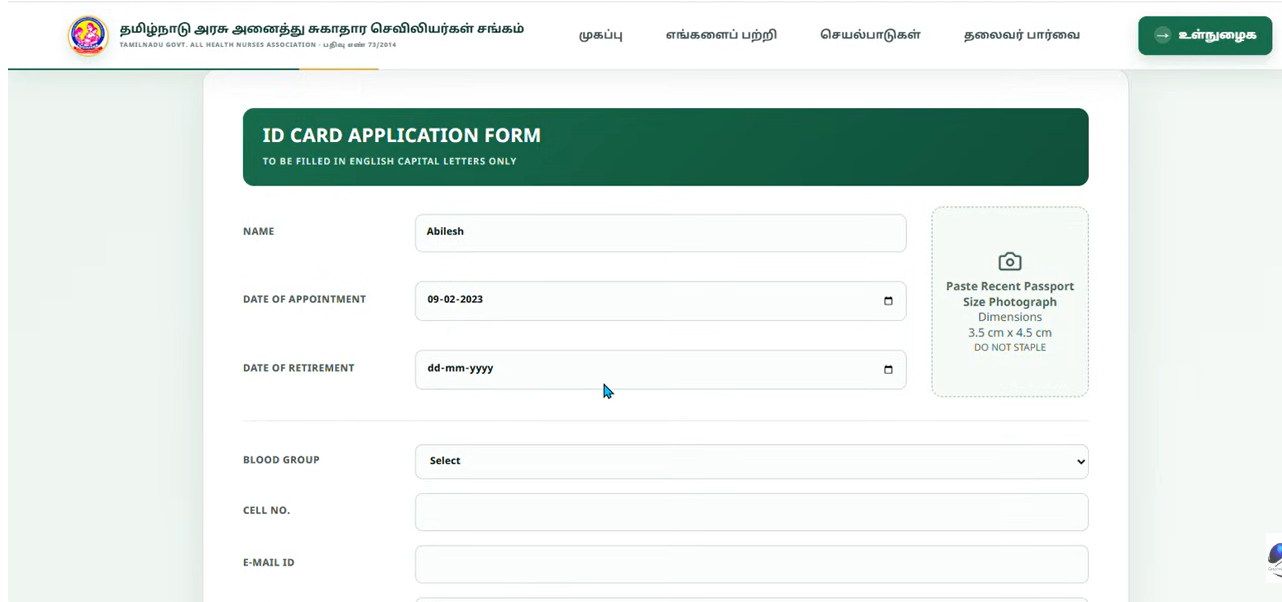
Complete the ID Card Application Form with the required details and upload a recent passport-size photograph (3.5 cm × 4.5 cm).
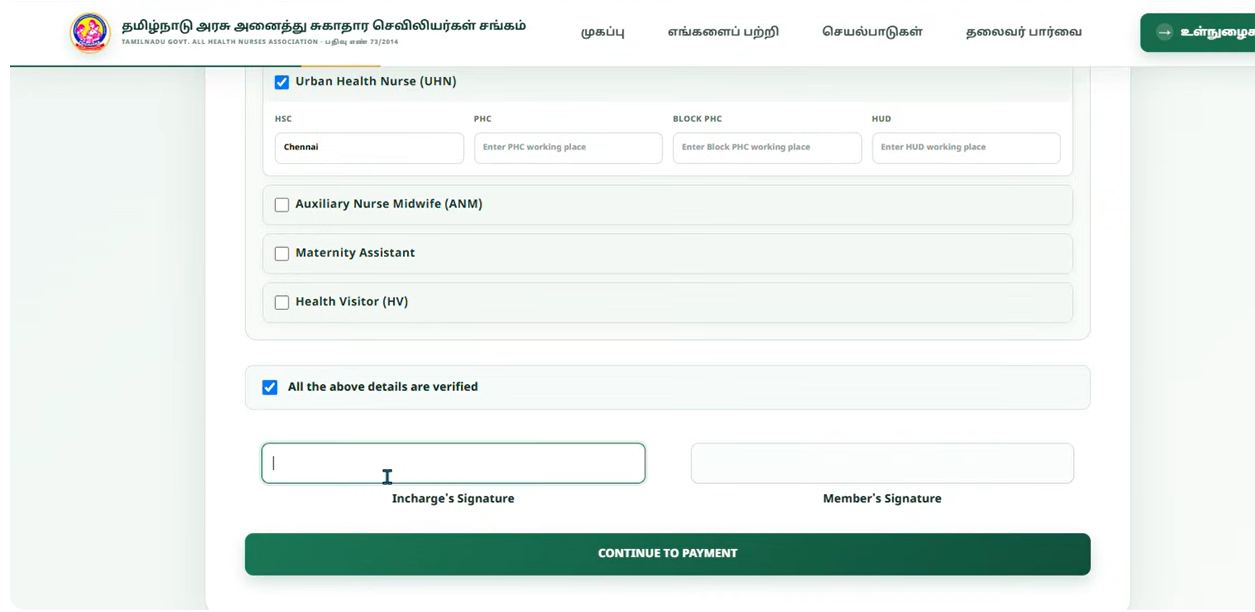
Confirm your category and working details, then have the in-charge and member signatures added before continuing.
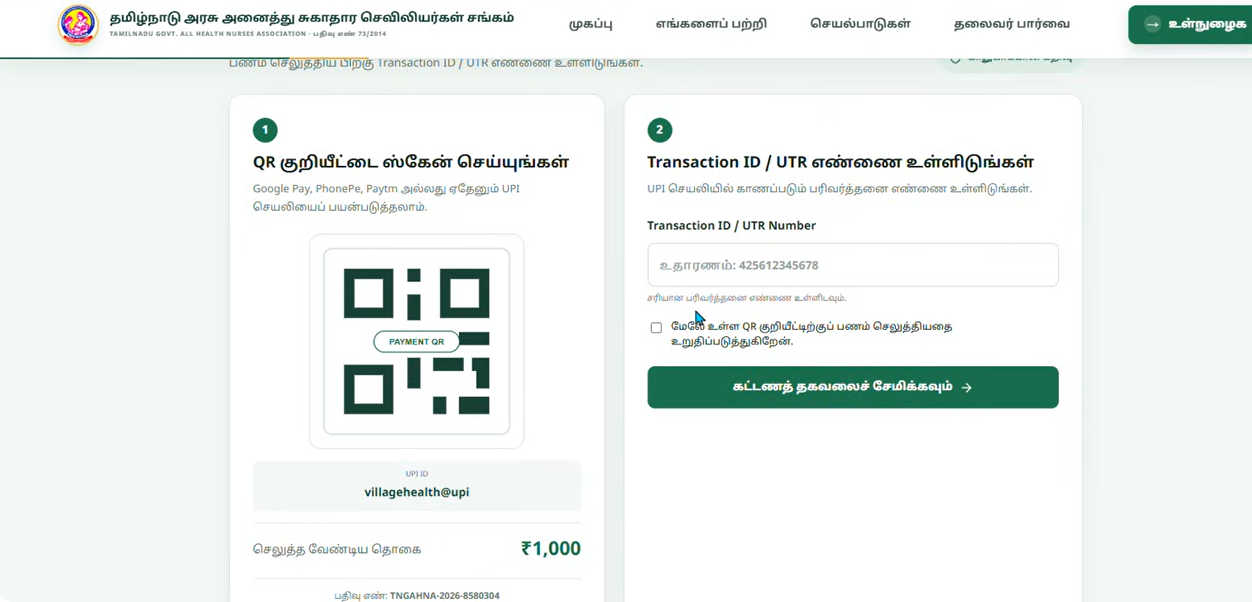
Scan the payment QR code with any UPI app and enter your Transaction ID / UTR number to confirm your membership payment.
Once registration and payment are complete, use your registered email and password to access your membership account.
Registration, application, ID card and payment are brought together in one convenient online form — no paperwork, no separate logins.
Complete your membership application online without managing paperwork manually.
Create your own account and use your registered credentials to access the platform.
Provide the required information through an organised online application form.
Submit the details required for your membership ID card, including your photograph.
Complete your membership payment through UPI — Google Pay, PhonePe, Paytm or any UPI app.
Keep your membership registration number and application status organised in one account.
Registered members can log in anytime using their registered email and password.
Manage every step of membership registration through one convenient online platform.
As part of the membership process, members complete the ID Card Application Form through the online platform, providing the required details and a passport-size photograph.
Before submitting your application, please make sure that:
Once your membership and ID card details are submitted, complete the applicable payment using any UPI app.
Want to see how the membership registration process works? Explore the live demo to experience the registration, login, and membership account process.
Complete your membership application online at your own convenience.
Enter and maintain your membership information through your account.
Follow a clear, step-by-step process for membership and ID card application.
Use your registered credentials whenever you need to access your account.
A look at the membership registration, ID card application and payment screens.
It is an online system that lets members complete their membership registration, submit their ID card application, complete payment, and access their membership account — all from one platform.
Click Register Now to create your account, then enter your membership details, complete the ID card application, review your information and proceed to payment.
Yes. Membership registration begins with creating an account. Your registered credentials are then used to log in to your membership account.
Yes. The ID Card Application Form is completed online, including your category, working place details, and a passport-size photograph (3.5 cm × 4.5 cm).
Scan the payment QR code using Google Pay, PhonePe, Paytm or any UPI app, then enter your Transaction ID / UTR number to confirm the payment.
Use your registered email address and password on the Member Login page to access your membership account.